



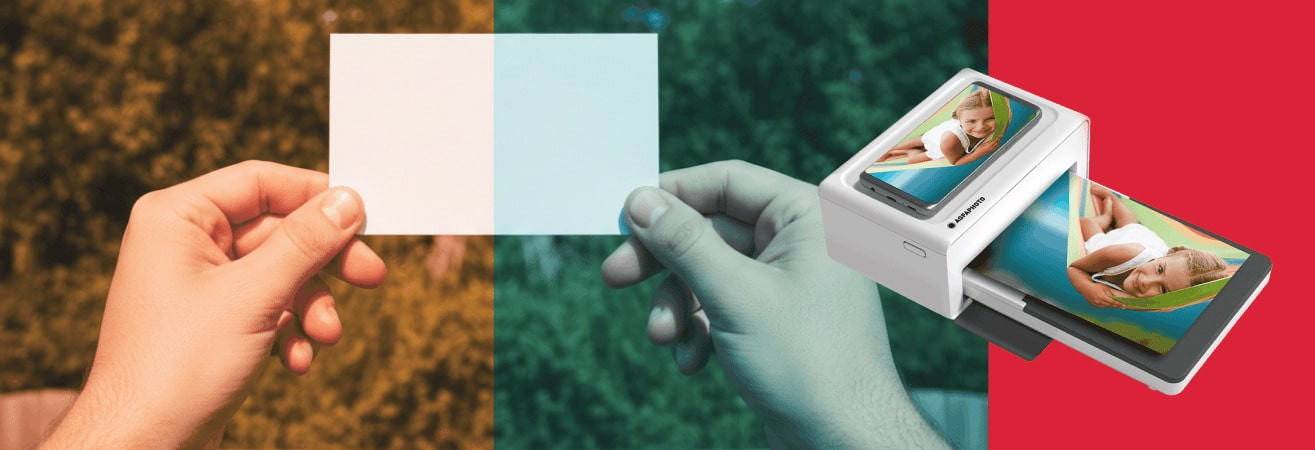
White balance: Why are some photos blue or yellow ?
You've probably taken a photo and noticed that it looks strange. The white turns yellow. The sky, although clear, looks blue. This discrepancy is not necessarily due to your camera, but often to an essential setting: white balance.
In photography, light does not always have the same colour. It can be warm, cool or neutral, depending on the location and time of day. The human eye adapts naturally, but the camera needs to be guided.
Mastering white balance allows you to avoid annoying colour casts and achieve colours that are closer to reality. This guide explains in simple terms how it works, why your photos change colour, and how to adjust the settings to stay in control.
White balance and its impact on your photos
To correct a photo that is too blue or too yellow, you first need to understand where the problem comes from. White balance is an often overlooked but essential setting. It directly affects how your camera interprets light. Even a slight error in the setting is enough to change the mood of an entire image.
What is white balance in photography?
White balance allows your camera to adjust colours according to the ambient light. Each light source emits a different hue. A candle, a light bulb, an LED lamp, and daylight do not have the same colour.
The human eye automatically adapts to these variations. A white wall appears white, regardless of the light. But a camera needs a reference point. Without precise settings, it may interpret white as bluish or yellow.
This reference point is your camera's white balance. It adjusts all the colours so that the shades remain true to reality, especially neutral tones such as white and grey.
How does white balance affect the colours in a photo?
Light can be warm or cool. This is referred to as colour temperature, measured in Kelvin. Warm light, such as that from a filament bulb, tends towards orange. Cold light, such as a cloudy sky or neon lighting, tends towards blue.
If the white balance is set incorrectly, these hues can be amplified. A face photographed in warm light without correction can turn orange. Conversely, a photo taken in the shade without adjustment can result in a pale, almost blue complexion.
Errors are particularly noticeable on neutral tones. Whites become cream, greys take on a bluish tint. Even bright colours can look off. Without a good reference point, the camera does its best... but it often gets it wrong.
Why are photos yellow?
A yellow cast often appears when shooting indoors. Conventional lamps emit warm light, around 2700 to 3200 Kelvin. This light is pleasing to the eye, but the camera may perceive it as too orange if the white balance is not adjusted.
In this case, whites tend towards yellow and colours lose their natural brightness. This can happen even in automatic mode. This is particularly true if the light comes from a single source, such as a small bedside lamp or ceiling light.
This phenomenon is common in everyday scenes, such as a family dinner or a dimly lit atmosphere at the end of the day. To avoid this, it is important to manually adjust the white balance or choose a mode suitable for artificial light.
Why are my photos blue?
Conversely, some images appear too cold. This often happens outdoors on cloudy days, or indoors under LED lighting with a ring light that is incorrectly configured, for example. These conditions produce a high colour temperature, sometimes exceeding 6000 Kelvin.
If the camera does not adjust the white balance correctly, the entire photo takes on a bluish tint. Skin tones become dull, whites take on a metallic hue, and the overall atmosphere seems distant.
This problem is also common when shooting at night. Multiple light sources (street lamps, shop windows, street lighting) interfere with automatic analysis. To maintain natural colours, it is best to switch to manual mode and choose a lower colour temperature. Alternatively, use a neutral reference to balance the scene.
Which white balance setting should you use for different shooting situations?
White balance is not set in the same way in all conditions. Daylight, indoor lighting, night-time atmosphere... each situation influences colours differently.
Here are some useful guidelines for adjusting your settings according to the environment and achieving a more natural look.
What white balance should you use indoors?
Taking photos indoors, such as family photos, requires a little attention. Unlike daylight, artificial lighting varies greatly from room to room. A halogen bulb, a cool white LED, and a yellow bedside lamp do not emit the same colour temperature at all.
These differences directly influence the colour of whites in your photos. Light that is too warm will make the image appear yellow, while LED lighting can create a blue cast that is sometimes difficult to correct later.
It is therefore important to identify the main source of light in the room. If you are near a window, natural light may dominate. If you are far away or in the evening, artificial lighting will take over. In this case, don't hesitate to manually set the white balance to a ‘light bulb’ or ‘artificial light’ mode offered by your camera. Some models even allow you to choose a specific temperature, which offers more flexibility.
Finally, keep in mind that the overall atmosphere plays a role. A dark room with coloured walls or dark furniture can influence the result. It's always best to test one or two images to adjust the settings before you start shooting in earnest.
What white balance should you use at night?
Night scenes are often problematic because they combine several light sources, such as street lamps, shop windows, car headlights, and ambient lighting. Each has its own hue, and the camera may have difficulty interpreting this diversity.
If you use automatic mode, it is common for the image to have a blue cast, especially when the scene is dimly lit. To avoid this effect, you can select a mode that is suitable for the ambient light. Some cameras offer a ‘tungsten’ or ‘city light’ option that is well suited for night-time photography.
Another option is to switch to manual mode and choose a temperature of around 3000 to 3500 Kelvin. This will warm up the image slightly without altering the contrast.
Finally, if you have a little time, take a test shot and check the skin tones, whites and dark areas. A simple adjustment can sometimes be enough to balance the entire scene.
How do I know if my white balance is correct?
Even if the image appears to be well exposed overall, certain colours may indicate an imbalance. To find out if your white balance is correct, start by looking at the neutral tones in the photo. These are white, grey or slightly beige objects.
If they appear true to life, your setting is probably correct. On the other hand, if they appear yellow or blue for no reason, an adjustment is necessary.
Another clue can be found in the skin tones. If they appear dull or too cold, the white balance may be too high. If they appear orange or too saturated, it is probably too low. Also remember to check the photo focus.
A blurry or unclear image can distort the perception of colours, especially on faces.
The best way to check is still to view the image on your camera's screen. Zoom in slightly on a neutral area or a face. Take one or two more shots with a different setting and compare them. This little test will help you find the right balance without having to use software to retouch the image.
How to set the white balance correctly on your camera?
Understanding the theory is essential. But you still need to know how to apply these settings when taking the photo.
Good news! Most cameras, even simple models, now allow you to adjust the white balance easily. Here's how to do it, step by step, depending on your needs and skill level.
How to do a white balance?
The quickest solution is to use the preset settings in your camera's menu. These modes correspond to different light sources: daylight, shade, cloudy, tungsten lighting, neon lighting, and flash.
These profiles are designed to automatically correct the colour cast according to the environment. They work well in many cases, provided the scene is not too complex. The automatic mode, which is often enabled by default, adapts itself to the light perceived by the sensor.
But automation has its limits. It can be wrong if the light is mixed or if the main subject is surrounded by dominant colours. In these cases, manual adjustment becomes more reliable. You can then choose a more precise mode or enter a specific colour temperature, if your camera allows it.
How do you find the white balance value?
Some cameras let you adjust the white balance in degrees Kelvin. This value corresponds to the colour temperature of the light. The lower the number, the warmer the light (leaning towards yellow). The higher the number, the cooler the light (leaning towards blue).
Here are some simple guidelines:
2500 to 3200 K: for warm lights, such as incandescent bulbs
4000 to 5000 K: for LEDs or mixed lighting
5500 to 6500 K: for daylight or outdoors
7000 K and above: for very shaded scenes, in low light or at the end of the day
If you are unsure, start with an average value (e.g. 5000 K), then adjust gradually while viewing the result on the screen. You will immediately see if the image becomes too cool or too warm.
How can you achieve perfect white balance every time?
For very accurate results, the best method is still manual adjustment with a neutral reference. This involves photographing a white or grey surface under the same light as your subject. Then ask the camera to use this image to calibrate the colours.
Some compact cameras and hybrid cameras offer this feature. Go to the custom white balance menu, photograph your neutral surface, and then confirm this point as a reference. A sheet of white paper or a grey chart will do the trick.
Beyond the settings, good habits when taking the shot can make all the difference. Take a few seconds to observe the light, identify any sources of interference, and test one or two modes before shooting. This anticipation will help you get more accurate images without having to retouch them afterwards.
Achieve accurate colours with white balance
A successful photo, in addition to its framing, is also a photo with accurate colours. If it is too yellow or too blue, the image loses its natural look and no longer reflects what you actually saw.
By simply adjusting the white balance, you can take control of how your images look. Whether you use automatic adjustment, a Kelvin value or a manual reference, there are several ways to correct the hue depending on the ambient light.
With a little observation and a few tests, you'll quickly learn to identify the right conditions and choose the right setting. And the more you get into the habit of thinking about this when taking photos, the more balanced, accurate and realistic your photos will become.