



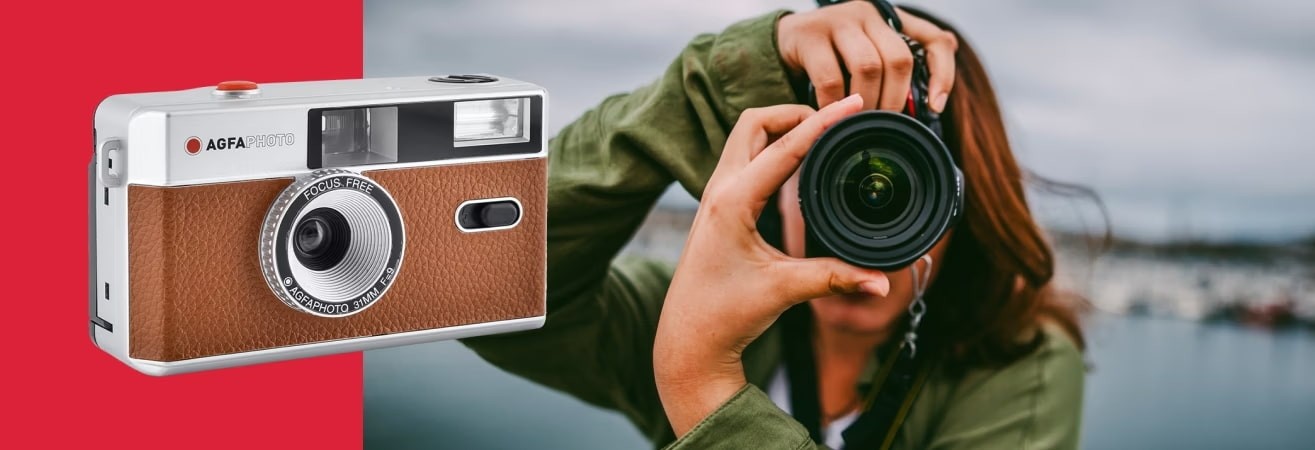
10 things to do before using your AgfaPhoto camera
Receiving a new camera is always an exciting moment. You want to test it right away, to go out and capture your surroundings. But to really enjoy it from the very first outing, it's best to take a little time to prepare.
Understand how it works, check the basic settings, make sure everything is in place... These simple steps can make all the difference. They allow you to gain confidence, personalise the experience and, above all, avoid early mistakes.
This guide will walk you through the ten things you should do before using your AgfaPhoto camera for the first time. Whether you're a complete beginner or returning to photography, these steps will help you get off to a good start.
Unpack and explore your camera
Before you even think about going out to take your first photos, there is a very important moment: discovery. Open the box, understand what your camera contains, hold it in your hands, observe its interface. These simple steps lay the foundation for a smooth user experience. And this is often what makes the difference between a successful start and a hesitant beginning.
Check the contents of the box and read the quick start guide
This first step may seem obvious, but it is often overlooked. Checking the contents of the box ensures that you have all the essential items. The camera, of course, but also the battery, USB cable, wrist strap and sometimes a memory card. Each accessory is important, especially when you first start using the camera.
Once everything is unpacked, take the time to leaf through the small guide that comes with the camera. It is often very well designed to help you get started. It shows you how to charge the battery, where to insert the memory card, how to turn on the camera and make the initial settings. You will also find useful tips for navigating the menus and using the main functions without getting lost.
Even if you have already used another camera, each model has its own specific features. Taking a few moments to read the guide will help you feel comfortable quickly, without having to improvise.
How do I operate the camera?
When you turn on your camera, it will ask you to set a few basic settings. These are often the language, date and time. These settings may seem minor, but they play an important role in organising your photos.
Setting the date correctly, for example, allows your images to be automatically sorted onto the memory card or into your folders once they have been transferred. It is also useful for easily finding a series of photos taken during a specific event.
The language setting makes it easier to navigate the menus. It's a simple way to feel comfortable with your equipment from the very beginning.
Finally, this is when you can activate some very useful options, such as displaying the grid on the screen. This grid helps you frame your images better by following visual cues. It's ideal for your very first attempts, even indoors.
Customise your camera to find your way around more easily
Once the camera is turned on and the initial settings have been made, it's a good idea to take a few minutes to adapt it to your preferences. By adjusting certain settings from the outset, you'll save time when taking your next shots. It also helps you to better understand how your camera works and to develop framing or recording habits that suit you.
Choose the right recording mode and image quality
One of the first settings to adjust is the format and quality of your images. Most AgfaPhoto cameras offer JPEG format recording, which is easy to read and share. You can also choose the resolution. The higher it is, the more detailed your files will be... but also the heavier.
If you are new to photography and looking for a good balance between quality and simplicity, a camera such as the AgfaPhoto DC5200 may be just right for you. It offers a resolution of 21 megapixels, ideal for capturing beautiful memories without worrying about technical complexity.
Take the time to check the available options. Quality: ‘High’, “Standard”, sometimes ‘Economy’. This affects the compression of the image and therefore its rendering. If you want to keep a good margin for cropping or printing your photos later, it is best to opt for high quality.
How do you set up your camera correctly?
Certain settings can really improve your comfort when shooting, especially if you are just starting out. In the menus, you will often find options such as the composition grid. This is displayed on the screen and helps you to position your subject in the right place, especially if you want to apply the rule of thirds.
You can also activate face detection, which is very useful for portraits, or the electronic level. This helps you keep your horizon straight, which is important when photographing landscapes.
These visual aids do not appear in the final photo. They are there to guide your eye and teach you how to frame your shots more naturally. Even if you choose to disable them later, they can really make a difference when you're first starting out.
Familiarise yourself with the controls before your first outing
Before heading out to take your first photos, it's a good idea to spend some time practising at home. This will allow you to discover the buttons, try out the essential functions and understand how the camera reacts. By practising in a familiar setting, you'll gain confidence and avoid hesitation when the moment really counts.
How do you use a camera when you're a beginner?
When you're just starting out, it's not always easy to know how to use your camera properly. There's the zoom, the focus, the shutter release, but also viewing the images you've already taken. Each action requires a little practice, especially if you want to avoid missing an important moment.
Take the time to test everything out at home. Photograph an object on a table, a face in natural light, a plant on a windowsill. These are good exercises for understanding how your camera reacts to light and distance.
The AgfaPhoto DC5500 is perfect for these first steps. It's lightweight, compact and has a 2.4-inch screen. It allows you to easily view your shots and learn the basics without complicating your life.
Learn to navigate the menus to gain autonomy
Cameras often offer several levels of settings. To take full advantage of them, you need to know where to look. The main menu gives you access to settings such as ISO, white balance, self-timer and image format.
Knowing how to navigate these menus allows you to quickly change a setting without interrupting your shooting. Take a few minutes to locate the main categories and memorise the functions you will use most often.
Some cameras even offer shortcuts that can be accessed directly from external buttons. By locating them now, you will save valuable time later.
Insert your memory card and check the formatting
Before you leave with your camera, make sure the memory card is properly inserted and ready to use. Even if it is new, it is recommended that you format it from the camera menu. This ensures better compatibility and reduces the risk of bugs or corrupted files.
This operation will delete everything that may already be on the card, so check that it is empty or that you have backed up its contents.
Formatting also resets the file indexes. Your photos will then be saved in order, with the correct names and in the correct folders, making it easier to sort them later.
Test in real conditions, without pressure
Once you've got to grips with your camera, the best thing to do is to test it in the field, but without any particular stakes. There's no need to wait for a wedding, concert or long trip to get started. A first outing in a quiet setting that you know well will allow you to experiment freely. It will also allow you to adjust your settings and observe how the camera behaves in real-life conditions.
How long does it take to learn how to use a camera?
When starting out, it's best to avoid busy places or stressful situations. Choose a place you know well. A park, a small neighbourhood square, a quiet street, or even your own garden. The goal is simple: test, observe, and adjust, without pressure.
You can practise photographing a stationary subject, then a moving subject, such as a cyclist or an animal. Change your point of view, test the effects of light depending on the time of day, and play with distance.
And if you're wondering how long it takes to learn how to use a camera, know that one to two hours of regular practice is enough to develop your reflexes. It's not a race. The key is to feel more and more comfortable, at your own pace.
Try out the different modes available (auto, portrait, landscape, etc.)
Automatic modes are often a great help when you're first starting out. They adjust the settings according to the scene detected. For example, portrait mode will emphasise the subject in the foreground, while landscape mode will favour sharpness throughout the scene.
These modes also allow you to better understand how the camera reacts. By observing the settings it chooses automatically (such as ISO, aperture or shutter speed), you learn to anticipate what you might change manually later.
Feel free to take several photos of the same subject using different modes. This will help you compare the results, refine your eye, and see what you like best.
Analyse your first shots to improve... and really get started
After your first test photo session, take the time to review your images on the screen. This is an important moment for improvement. Look at the sharp areas, the blurred areas, the framing, the light. Ask yourself the right questions. What works, what could you have improved and why?
This little bit of time spent stepping back will help you better understand the choices you make when taking a photo. The more you get into the habit of looking at your shots carefully, the more your eye will be refined.
And once you've gained confidence and tried out different framing, lighting and settings, you're ready to go on your first real outing. That's when you can really enjoy your AgfaPhoto camera, with more confidence and, above all, more fun.
Getting started with your AgfaPhoto camera in the best conditions
By taking the time to set up your new camera, personalise it, and then explore it at your own pace, you'll give yourself the best chance of taking great first photos.
These ten steps will help you better understand your equipment, anticipate common mistakes, and build a solid foundation. Whether you're photographing a landscape, an everyday scene or a moment with friends, you'll know where to go and how to adjust your settings.
Above all, don't forget to practise regularly. The more comfortable you are with your camera, the more freedom you'll have in your framing, your lighting choices and your creative desires. Technique can be learned, but your eye develops with experience.